Keep your existing website
Add the embed snippet to a page on your site, or point a Book a table button to your hosted booking page. A direct link is useful when your website editor does not allow embedded forms.

Restaurant booking widget
Keep your restaurant website and add a Revue reservation form. Guests choose a date, time and party size, while your team manages the resulting booking in the staff portal.
Start your free trial14 days. No payment card required.
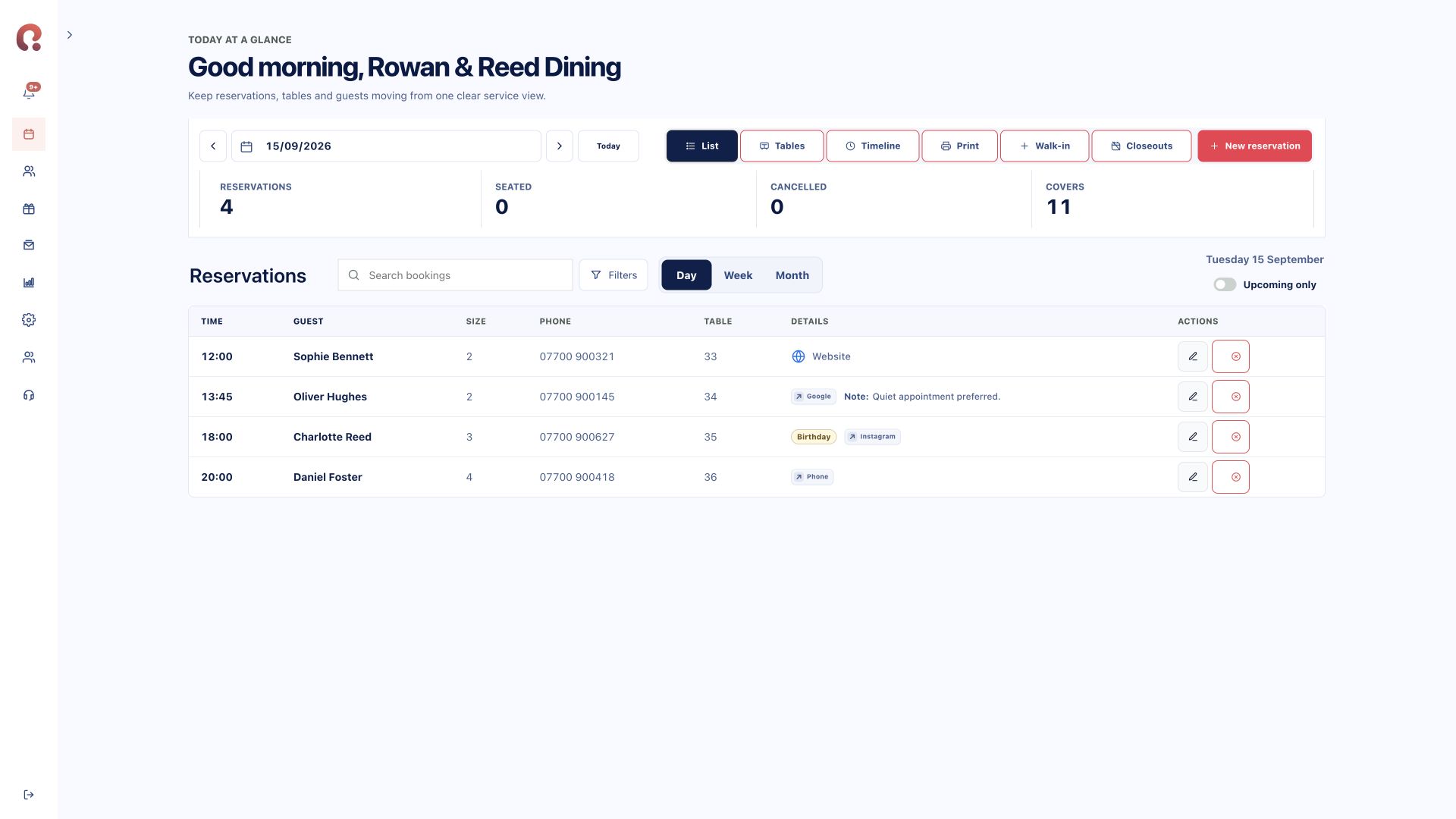
The customer-facing form and the staff diary use the venue’s booking setup. You do not need to maintain a second reservation list.
Add the embed snippet to a page on your site, or point a Book a table button to your hosted booking page. A direct link is useful when your website editor does not allow embedded forms.
Configure hours, party sizes, duration and close-outs in Revue. These settings and existing reservations inform the times offered to guests. Set any deposit requirements before publishing the form.
Apply your available brand settings to the booking experience. Check the completed journey on mobile and desktop before sharing it, including the contact details and confirmation message.
Your route to launch
Create your venue and configure availability first. Add the widget or booking link to your website, then test the complete flow with sample details. Confirm that the reservation reaches the correct date in the portal.
Staff can continue adding phone reservations. Online bookings and manual entries belong to the same service workspace, with guest records available to the team according to their permissions.
Compare plans and modules ↗No. Use an embedded Revue form where your website supports it, or link to your hosted booking page.
You need access to an area of your website editor that accepts the embed snippet. If that is not available, use a normal link or ask your website provider to add the form.
The booking flow has responsive layouts. Test it within your own website on the devices your guests use, since the surrounding page can affect an embedded form.
They appear in the Revue reservation diary for the venue. Staff can view the guest’s booking details alongside reservations entered by the team.
Choose your starting point
Start with one product or connect the complete guest journey.
Bookings, tables, guests, deposits and reporting.
Explore reservations ↗02 / Gift vouchersSell online, deliver instantly and add to Apple Wallet.
Explore vouchers ↗03 / Branded appsA custom iOS and Android app shaped around your restaurant.
Discuss your app ↗Bring your systems together
Tell us which products you need and how many venues you manage. We’ll show you the relevant Revue journey.
Request a demohello@revue.dayOpens your email app. We’ll arrange a time together.