Tables and party sizes
Configure your tables and capacity around the restaurant. Keep table assignments beside each reservation in the service list, and use the table and timeline views to review the room.

Restaurant table management
Plan how bookings fit around your tables and sitting times. Revue brings table assignments, party sizes and reservation status into the same workspace, so staff can see what is booked and what comes next.
Start your free trial14 days. No payment card required.
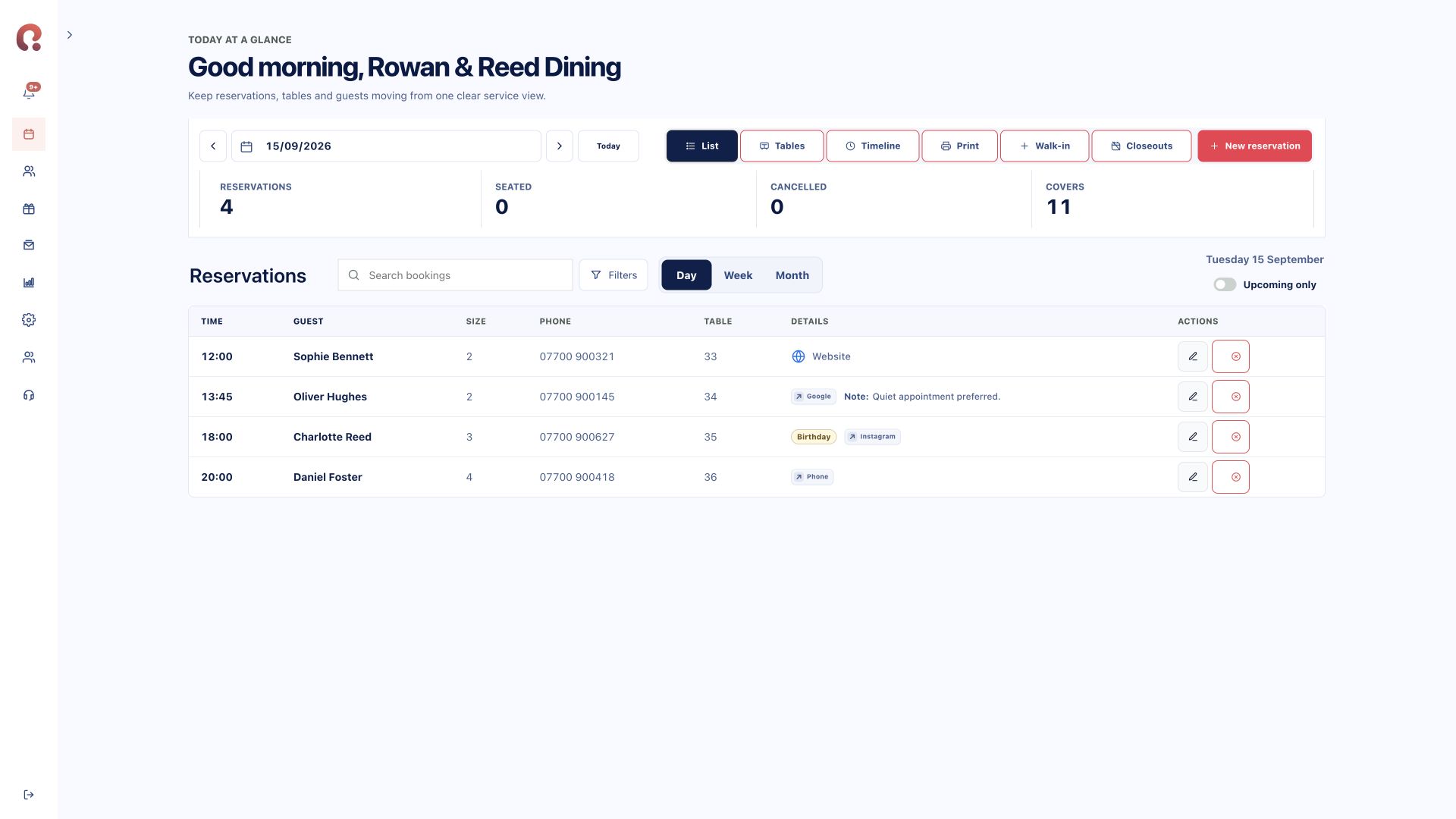
A table can serve more than one party in a day. Availability needs to account for when each reservation begins and how long it occupies the space.
Configure your tables and capacity around the restaurant. Keep table assignments beside each reservation in the service list, and use the table and timeline views to review the room.
Use configured booking durations when planning successive sittings. When suitable tables are combined for a larger party, their overlapping availability must be considered together.
Keep staff in control when a service changes. Update reservations and use close-outs for periods when online availability should stop, such as a private event or a closed service.
Your route to launch
Start with table numbers, capacities and the combinations your team can genuinely offer. Then configure operating hours and sitting durations, including any periods when bookings should not be accepted.
Before launch, test a small party, a larger group and two successive sittings. Check the list, table and timeline views against the way your restaurant plans a busy service.
Compare plans and modules ↗Yes. Availability accounts for reservation times and configured duration. Non-overlapping sittings can use the same table.
Yes. Configure suitable combinations for your venue. The component tables need to be available for the requested sitting.
Use close-outs to stop bookings for the relevant times or dates. Review the affected period and any existing bookings before a service change.
No. The screenshot shows the actual reservation list and its table assignments. Request a demo to walk through table and timeline views for your setup.
Choose your starting point
Start with one product or connect the complete guest journey.
Bookings, tables, guests, deposits and reporting.
Explore reservations ↗02 / Gift vouchersSell online, deliver instantly and add to Apple Wallet.
Explore vouchers ↗03 / Branded appsA custom iOS and Android app shaped around your restaurant.
Discuss your app ↗Bring your systems together
Tell us which products you need and how many venues you manage. We’ll show you the relevant Revue journey.
Request a demohello@revue.dayOpens your email app. We’ll arrange a time together.